
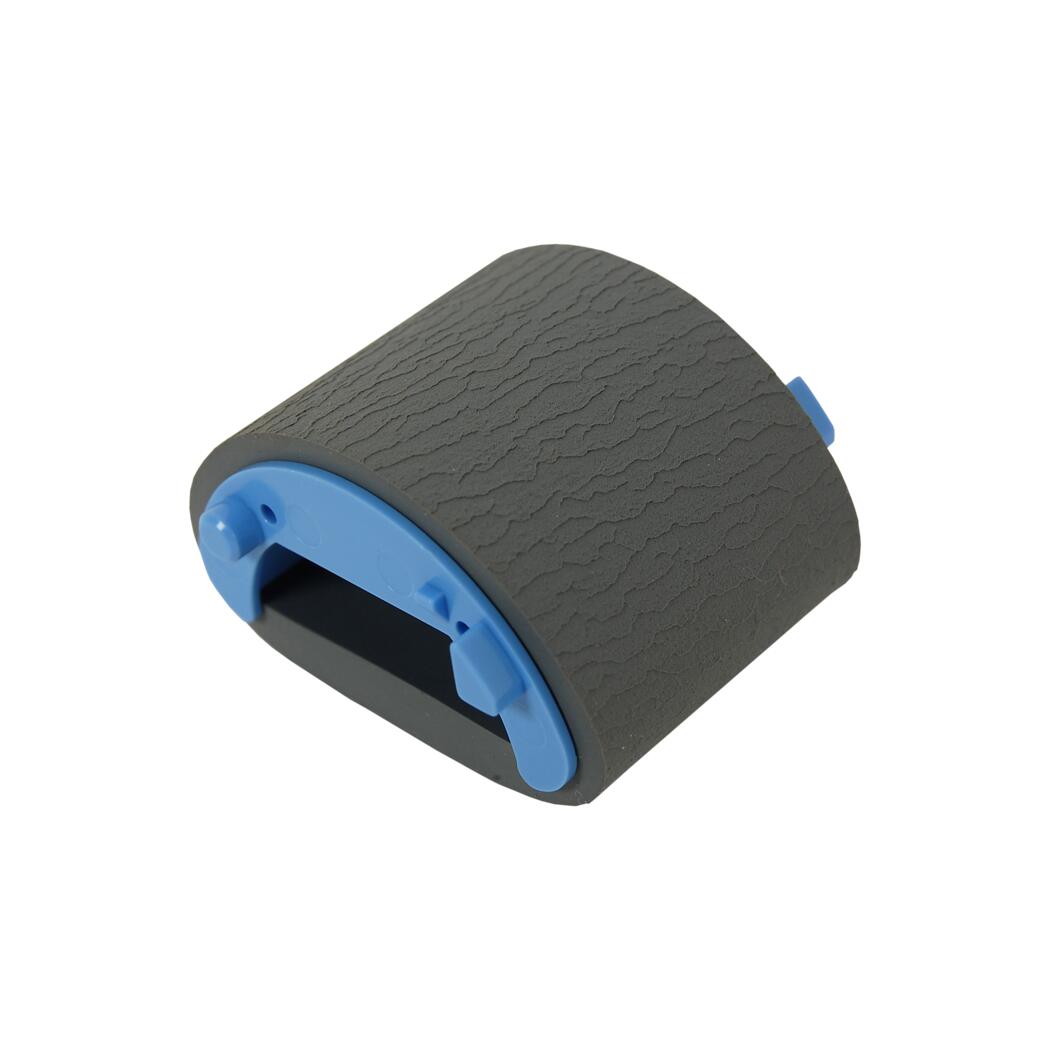
HP M1536dnf P1606dn P1505 & Canon MF4770n MF4880dw Pickup Roller RL1-1497
HP LaserJet & Canon Paper-Feed Component
D-Shaped Pickup Roller
RL1-1497-CLN
New compatible main paper pickup roller for select HP LaserJet and Canon imageCLASS, i-SENSYS, Satera, LaserSHOT and FAX printers and multifunction devices.
Restore reliable paper pickup.
Over time, the rubber surface of a printer's pickup roller can become polished, hardened or worn. The result may be intermittent paper pickup, repeated feed attempts or a printer that reports no paper even when the input tray is loaded.
RL1-1497-CLN replaces the D-shaped roller responsible for initially pulling a sheet from the main paper supply into the printer.
Part details
| The Printer Depot Part Number | RL1-1497-CLN |
|---|---|
| OEM Reference | RL1-1497-000 |
| HP Service Reference | RL1-1497-000CN |
| Related HP Kit Number | CE663-67902 — P1560 / P1600 Series pickup roller kit |
| Component | D-shaped main paper pickup roller |
| Condition | New Compatible |
| Included | One pickup roller |
Common signs of a worn pickup roller
No paper pickup
The printer attempts to feed but leaves the paper sitting in the tray.
Intermittent feeding
Paper feeds only after several attempts or after repositioning the stack.
Smooth or glazed roller
The original roller has lost the textured grip needed to pull the sheet.
HP LaserJet compatibility
Compatibility includes U.S. models as well as documented regional variants within the same HP printer families.
LaserJet P1500 Series
- P1503
- P1503n
- P1504
- P1504n
- P1505
- P1505n
- P1506
- P1506n
LaserJet MFP Series
- M1120 MFP
- M1120n MFP
- M1522n MFP
- M1522nf MFP
LaserJet Pro P1560 Series
- P1566
- P1567
- P1568
- P1569
LaserJet Pro P1600 Series
- P1606dn
- P1607dn
- P1608dn
- P1609dn
LaserJet Pro M1530 MFP Series
- M1536dnf MFP
- M1537dnf MFP
- M1538dnf MFP
- M1539dnf MFP
Canon compatibility
Canon uses the same RL1-1497-000 pickup roller across a surprisingly broad range of monochrome laser platforms. Model branding varies by country; the same underlying model may be sold as imageCLASS, i-SENSYS, Satera or LaserSHOT.
Canon FAXPHONE & D Series
- FAXPHONE L190
- imageCLASS D520
- imageCLASS D530
- imageCLASS D550
- imageCLASS D560
- imageCLASS D570
Canon LBP Series
- LBP151dw
- LBP3250
- LBP6200
- LBP6200d
- LBP6230
- LBP6230dw
- LBP6240
Canon MF210 / MF220 Series
- MF211
- MF212w
- MF216n
- MF217w
- MF222dw
- MF224dw
- MF226dn
- MF227dw
- MF229dw
Canon MF230 / MF240 Series
- MF232w
- MF236n
- MF244dw
- MF247dw
- MF249dw
Canon MF4400 / MF4500 Series
- MF4410
- MF4412
- MF4420n
- MF4430
- MF4450
- MF4452
- MF4453
- MF4550d
- MF4553d
- MF4554d
- MF4570dn
- MF4570dw
- MF4580dn
Canon MF4700 / MF4800 Series
- MF4710
- MF4712
- MF4720w
- MF4730
- MF4750
- MF4752
- MF4770n
- MF4780w
- MF4820d
- MF4830d
- MF4870dn
- MF4880dw
- MF4890dw
Regional Canon naming: Depending on the country of sale, compatible Canon devices may carry imageCLASS, i-SENSYS, Satera or LaserSHOT branding. Canon parts catalogs also reference PC-D520 / PC-D550 and FAX-L410 regional equivalents. Match the actual model number and original roller rather than relying only on the marketing family name.
Important compatibility note
Some online cross-reference databases list additional HP printers for RL1-1497. Those lists should not be treated as authoritative.
In particular, HP M1130/M1132/M1136/M1210/M1212-series printers use the RL1-2593 family pickup roller, while the HP Color LaserJet CP1525 uses RM1-4426. Those models are therefore intentionally excluded from this listing.
Main paper pickup roller — not an ADF roller
RL1-1497 is installed in the printer's primary paper-feed mechanism and pulls blank paper into the print engine. It is not the roller located inside the automatic document feeder used to scan or copy originals.
Installation guidance
- Turn the printer off and disconnect the power cord.
- Remove the toner cartridge and/or paper tray as required by the service procedure for your exact printer model.
- Release the existing D-shaped pickup roller from its shaft or retaining tabs and remove it carefully.
- Install the replacement roller in the same orientation and make sure it locks fully into position.
- Keep oils, grease and contaminants away from the roller's rubber gripping surface before reassembling and testing the printer.
Still experiencing paper-feed problems? The separation pad works together with the pickup roller and may also require replacement when excessively worn. The exact separation-pad assembly varies by printer family, so it should be matched separately to the specific printer model.
What you receive
One new compatible RL1-1497-CLN D-shaped pickup roller. Separation pads, pickup assemblies, toner cartridges and other paper-feed components are not included unless specifically stated elsewhere in the listing.
Couldn't load pickup availability
Pickup available at WAREHOUSE
Usually ready in 5+ daysPairs well with
In stock! Ships within 5-7 business days.
100% Tested prior to shipment
Warranty Included (1 Year, 2 Year, and 3 Year Extensions available on all Printers)
Lifetime technical support
HP M1536dnf P1606dn P1505 & Canon MF4770n MF4880dw Pickup Roller RL1-1497
Please visit our FAQs page or email Sales@theprinterdepo.com with any questions you may have.
-
Shipping Information
Most orders ship within 48 hours of receipt.
-
Customer Support
Please reach out to us via email or chat box Monday-Friday 8AM-5PM CST.
-
FAQ’s
Please click "Quick Links" at the bottom of the page & open "FAQ's" for more information.
-
Technical Support
All of our products include lifetime technical support via email.
FAQs
Please read our FAQs page to find out more.
How much is shipping?
- Shipping is free on all items below 65lbs
- If you are purchasing in bulk & the total weight exceeds 65lbs then please reach out to us through the chat box or email sales@theprinterdepo.com for a custom quote.
- If the item exceeds 65lbs then you may be subject to freight charges.
Do you charge sales tax?
- We do not collect sales tax outside of the state of Texas. Therefore, you do not need to provide any proof of exemption unless your shipping/billing address is in Texas.
- If you are located in Texas & would like your account to be tax exempt then you must email Sales@theprinterdepo.com your Texas resale certificate or proof of exemption.
Do you offer "Blind Drop Shipping"?
- Yes, we offer "Blind Drop Shipping" & "Private labeling".
- Please email Sales@theprinterdepo.com for more details.
Do you offer any discounts?
- Yes, please sign up for our weekly newsletter for upcoming sales, discount codes, and product announcements.
- Wholesalers should email sales@theprinterdepo.com for a custom quote.
Do you accept "Purchase Orders"?
- Yes, please send your PO's to sales@theprinterdepo.com
- Credit card or Net 30 application must be on file in order for your purchase order to be processed.