
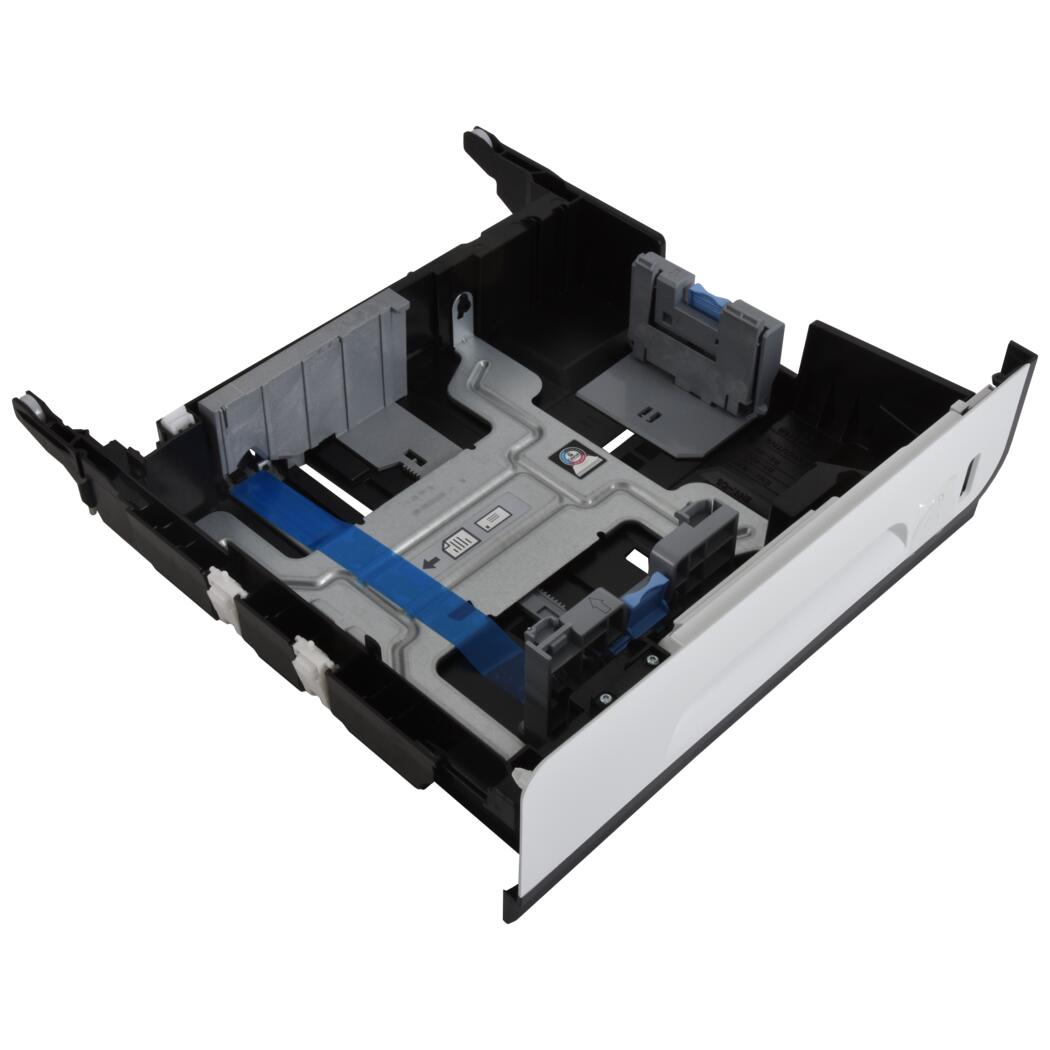
HP PageWide 452 552 477 577 Cassette Tray D3Q24-67036
HP PageWide paper handling
Main Paper Cassette Tray
D3Q24-67036
Replace the main Tray 2 cassette in your compatible HP PageWide, PageWide Pro, or PageWide Managed P-series printer.
Order for the correct tray position
D3Q24-67036 is the replacement main Tray 2 cassette. Confirm the exact printer model and part number before ordering. Adding another paper-input source requires the appropriate optional feeder accessory for your printer.
*Capacity is based on 75 g/m² / 20 lb bond paper. Paper weight, thickness, and conditions can reduce capacity. Keep the stack below the tray's limit markers.
Replace a damaged or missing cassette
Restore the main paper-input drawer with the service tray specified for the compatible models below. Match your existing cassette and printer product number for the correct application.
Set up paper correctly
Adjust the paper guides to the selected media, keep the stack within the tray's loading limits, and seat the cassette fully before printing.
Compatible HP PageWide Pro models
| Printer family | Compatible models |
|---|---|
| PageWide Pro 452 | 452dn, 452dw |
| PageWide Pro MFP 477 | 477dn, 477dw |
| PageWide Pro 552 | 552dw |
| PageWide Pro MFP 577 | 577dw, 577z |
Compatible HP PageWide Managed models
| Managed model | Matched printer product numbers |
|---|---|
| HP PageWide Managed P55250dw | J6U55A, J6U55B, J6U55BR, J6U55D |
| HP PageWide Managed MFP P57750dw | J9V82A, J9V82B, J9V82BR, J9V82C, J9V82D |
Additional compatible HP PageWide models
| PageWide model | Matched printer product numbers |
|---|---|
| HP PageWide 352dw | J6U57B, J6U57BR |
| HP PageWide MFP 377dw | J9V80A, J9V80B, J9V80BR |
Enterprise and Managed E-series use a different tray
HP specifies G1W39-67955 as the main Tray 2 assembly for PageWide Enterprise 556 / 586 and Managed E55650 / E58650. Order D3Q24-67036 for the compatible PageWide, Pro, and Managed P-series models listed above.
Part details
| HP service part number | D3Q24-67036 |
|---|---|
| Component | Main paper cassette / main tray assembly |
| Tray position | Tray 2 |
| Plain-paper capacity | Up to 500 sheets of 75 g/m² / 20 lb bond paper |
| Service application | Replacement of the existing main input cassette |
Replacement and loading
Follow HP's Tray 2 replacement procedure for your model. Pull the cassette out, release the latch at the left-rear corner, lift the front, and remove the tray fully.
Set the replacement tray's length and width guides for the paper being loaded. Keep the guides against the stack without bending the paper, stay below the loading-limit markers, and insert the cassette fully.
D3Q24-67036. Replace the correct cassette.
Main Tray 2 cassette for the compatible HP PageWide, Pro, and Managed P-series models listed above. Match the full model and service part number before ordering.
HP and PageWide are trademarks of their respective owners. Printer product numbers identify compatible machines; D3Q24-67036 identifies the cassette service assembly.
Couldn't load pickup availability
Pickup available at WAREHOUSE
Usually ready in 5+ daysPairs well with
In stock! Ships within 5-7 business days.
100% Tested prior to shipment
Warranty Included (1 Year, 2 Year, and 3 Year Extensions available on all Printers)
Lifetime technical support
HP PageWide 452 552 477 577 Cassette Tray D3Q24-67036
Please visit our FAQs page or email Sales@theprinterdepo.com with any questions you may have.
-
Shipping Information
Most orders ship within 48 hours of receipt.
-
Customer Support
Please reach out to us via email or chat box Monday-Friday 8AM-5PM CST.
-
FAQ’s
Please click "Quick Links" at the bottom of the page & open "FAQ's" for more information.
-
Technical Support
All of our products include lifetime technical support via email.
FAQs
Please read our FAQs page to find out more.
How much is shipping?
- Shipping is free on all items below 65lbs
- If you are purchasing in bulk & the total weight exceeds 65lbs then please reach out to us through the chat box or email sales@theprinterdepo.com for a custom quote.
- If the item exceeds 65lbs then you may be subject to freight charges.
Do you charge sales tax?
- We do not collect sales tax outside of the state of Texas. Therefore, you do not need to provide any proof of exemption unless your shipping/billing address is in Texas.
- If you are located in Texas & would like your account to be tax exempt then you must email Sales@theprinterdepo.com your Texas resale certificate or proof of exemption.
Do you offer "Blind Drop Shipping"?
- Yes, we offer "Blind Drop Shipping" & "Private labeling".
- Please email Sales@theprinterdepo.com for more details.
Do you offer any discounts?
- Yes, please sign up for our weekly newsletter for upcoming sales, discount codes, and product announcements.
- Wholesalers should email sales@theprinterdepo.com for a custom quote.
Do you accept "Purchase Orders"?
- Yes, please send your PO's to sales@theprinterdepo.com
- Credit card or Net 30 application must be on file in order for your purchase order to be processed.