
Restores document pickup
Helps the feeder grip and advance originals that hesitate or remain in the input tray.
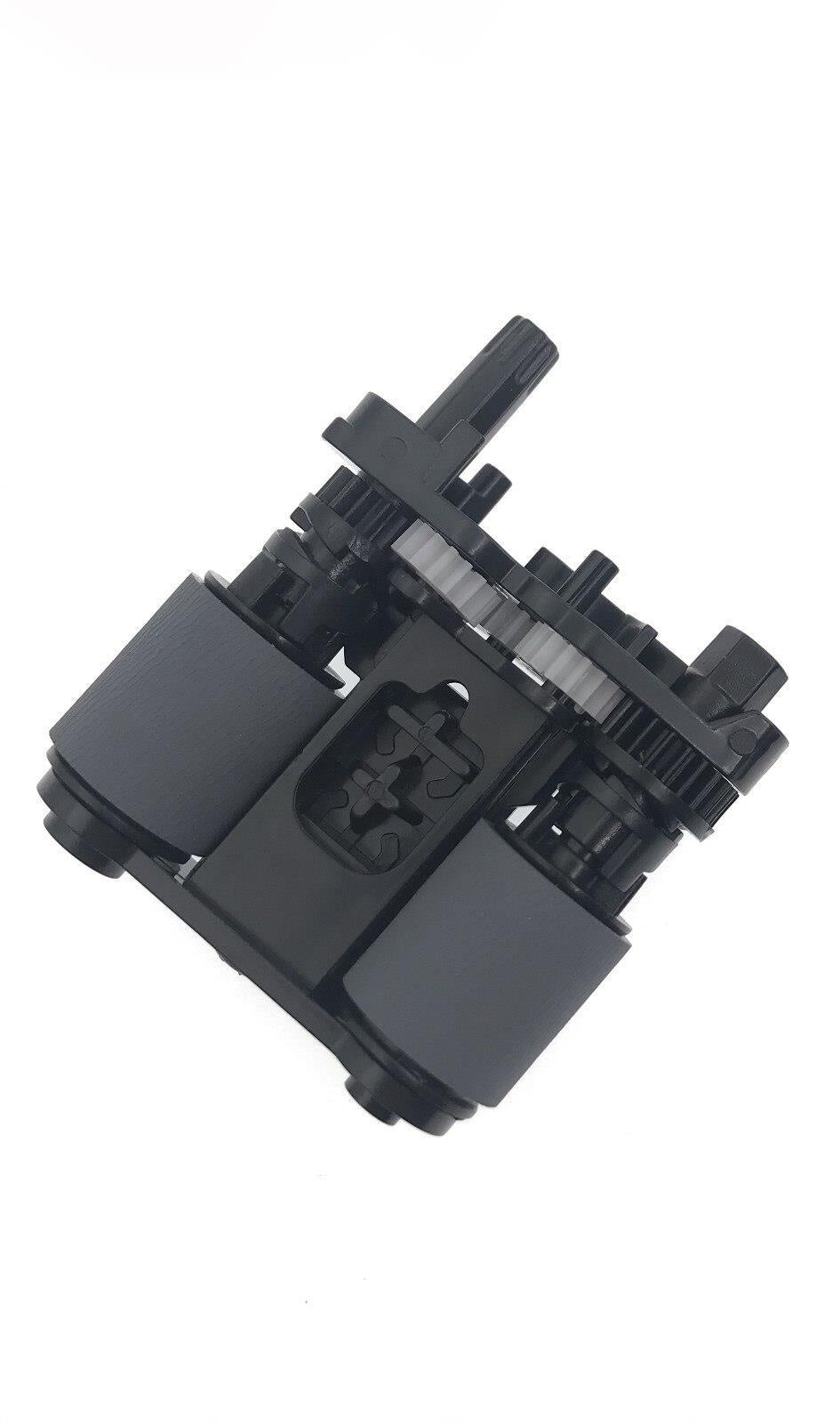
Restore dependable document feeding in compatible HP multifunction printers with the B3Q10-60105 ADF pickup roller assembly.
The pickup roller grips the top sheet in the automatic document feeder and moves it into the scan path. As its surface wears, documents can hesitate, skew, misfeed, or fail to feed altogether.
Helps the feeder grip and advance originals that hesitate or remain in the input tray.
A fresh gripping surface can help reduce document skew and irregular movement through the scan path.
Replacing a worn feed component can restore ADF operation without replacing the complete scanner or printer.
HP has reused similar-looking document feeders across multiple printer generations. Confirm your model and compare B3Q10-60105 with your existing part or service documentation before ordering.
The replacement roller assembly that grips originals and begins feeding them into the automatic document feeder.
The B3Q10-40080 separation pad is a separate component unless specifically included elsewhere in this listing.
Compatibility is organized by product family. Market-specific suffixes can vary, so confirm the complete model number before purchase.
M277n · M277dw
M278nw · M280nw
M281cdw · M281fdn · M281fdw
M282nw · M283cdw · M283fdn · M283fdw
M377dw
M477fdn · M477fdw · M477fnw
M479dw · M479fdn · M479fdw
4301dw · 4301dwe · 4301fdn · 4301fdne
4301fdw · 4301fdwe
ADF-equipped 4302 and 4303 regional variants
M329dn · M329dw
M426dw · M426fdn · M426fdw · M426m
M427dw · M427fdn · M427fdw
M428dn · M428dw · M428fdn · M428fdw
M429dw · M429fdn · M429fdw
4101fdn · 4101fdne · 4101fdw · 4101fdwe
ADF-equipped 4102 and 4103 regional variants
LaserJet Enterprise MFP M430f
LaserJet Enterprise MFP M431 Series
Color LaserJet Enterprise MFP M480f
LaserJet Managed MFP E42540f
Color LaserJet Managed MFP E47528f
The ADF activates, but the first document remains in the input tray.
Documents feed only after being repositioned, pushed, or attempted several times.
Pages enter at an angle and produce crooked scans or copies.
The printer reports a document-feeder jam or pickup failure.
The feeder makes pickup noise without advancing the document correctly.
More than one original enters at once. This can also indicate a worn separation pad.
Exact access and release steps vary by printer family. Follow the service procedure for your model.
Turn off the printer, wait briefly, and disconnect its power cable.
Open the document-feeder access cover and locate the pickup assembly.
Release the worn roller assembly and seat the replacement securely.
Reconnect power and test the feeder with several clean originals.
Match your printer, existing roller, and part number B3Q10-60105 before ordering. This listing is for the ADF pickup roller assembly only.
Compatibility can vary by regional model suffix, product number, and ADF configuration. Compare the installed component with the listing image and service documentation before purchase. Product names and part numbers are used solely to identify compatibility. HP, LaserJet, and PageWide are trademarks of HP Inc.
Couldn't load pickup availability
Pickup available at WAREHOUSE
Usually ready in 5+ daysPairs well with
In stock! Ships within 5-7 business days.
100% Tested prior to shipment
Warranty Included (1 Year, 2 Year, and 3 Year Extensions available on all Printers)
Lifetime technical support
HP Compatible B3Q10-60105 ADF Pickup Roller Assembly for LaserJet Pro, Enterprise & Managed MFPs
Please visit our FAQs page or email Sales@theprinterdepo.com with any questions you may have.
Shipping Information
Most orders ship within 48 hours of receipt.
Customer Support
Please reach out to us via email or chat box Monday-Friday 8AM-5PM CST.
FAQ’s
Please click "Quick Links" at the bottom of the page & open "FAQ's" for more information.
Technical Support
All of our products include lifetime technical support via email.
Please read our FAQs page to find out more.