
Replacement Storage
A focused hardware repair.
Replace the internal hard drive when diagnosis identifies it as the failed component, rather than replacing an otherwise serviceable printer unnecessarily.
HP LaserJet Managed • Replacement Printer Storage
Replace the drive. Restore your workflow.
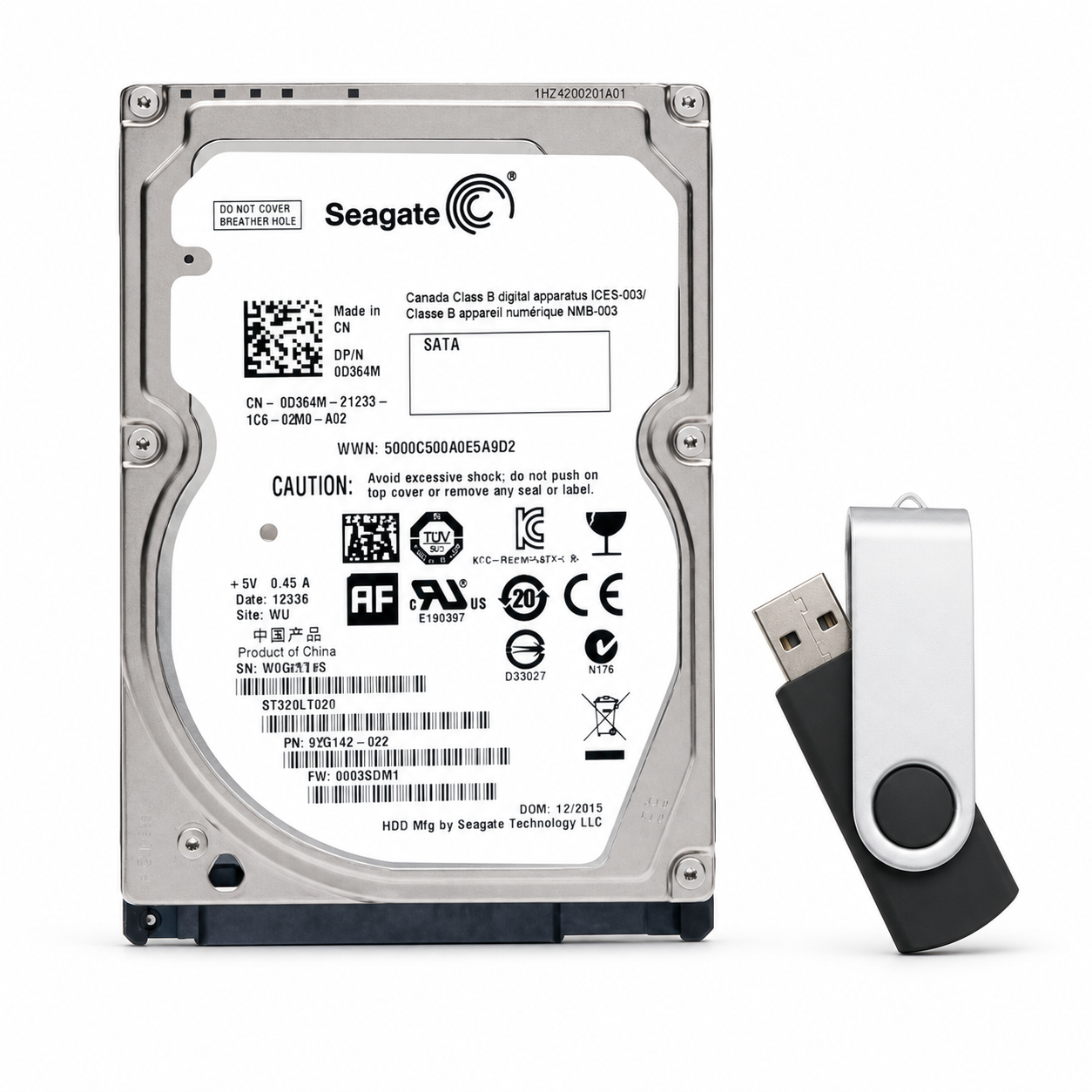
A replacement hard-disk drive paired with a USB flash drive containing HP E62665-series firmware. Offered for the E62665hs, E62665h, and E62665z, this bundle brings the replacement storage and firmware installation media together for your printer repair.
Replace the internal hard drive when diagnosis identifies it as the failed component, rather than replacing an otherwise serviceable printer unnecessarily.
The included USB flash drive contains firmware for the E62665 printer platform, providing the installation file for use during the appropriate recovery procedure.
Intended for the supported HP LaserJet Managed and Managed Flow E62665 configurations listed below. Confirm your complete model before ordering.
Keep your repair centered on the component that needs attention. This package includes an internal replacement HDD and a separate firmware-loaded USB flash drive for the supported E62665 models.
The hard drive replaces the affected storage hardware. The USB provides the model-appropriate firmware file for installation when required. Together, they offer a convenient starting point for an HDD-related service repair.
Match the complete printer model and base HP product number below. These are monochrome LaserJet Managed multifunction printers.
| Compatible printer | HP product number |
|---|---|
| HP LaserJet Managed MFP E62665hs | 3GY15A |
| HP LaserJet Managed Flow MFP E62665h | 3GY16A |
| HP LaserJet Managed Flow MFP E62665z | 3GY17A |
| Product type | Replacement printer HDD and firmware USB bundle |
|---|---|
| Printer family | HP LaserJet Managed E62665 Series |
| Supported models | E62665hs, E62665h, and E62665z |
| Hardware included | One replacement internal hard-disk drive |
| Firmware media included | One USB flash drive containing E62665-series firmware |
| Primary application | Replacement of a diagnosed faulty HDD, with firmware installation media supplied for the repair |
| Installation | Internal hardware replacement; initialization and firmware loading may be required |
| Supplied by | The Printer Depot |
Professional installation is recommended. Turn the printer off, wait 30 seconds, and disconnect power before servicing. Use appropriate electrostatic-discharge precautions and follow HP’s HDD replacement procedure for the exact model.
After hardware installation and reassembly, reconnect power and follow the applicable initialization procedure. HP supports USB firmware loading through the Preboot menu when recovery is required. Do not interrupt power while firmware is being installed.
Confirm the underlying fault before purchasing. This bundle is intended for HDD-related repairs, not as a guaranteed solution for every startup message, formatter failure, or firmware error.
Couldn't load pickup availability
Pickup available at WAREHOUSE
Usually ready in 5+ daysPairs well with
In stock! Ships within 5-7 business days.
100% Tested prior to shipment
Warranty Included (1 Year, 2 Year, and 3 Year Extensions available on all Printers)
Lifetime technical support
HP Color LaserJet Managed E62665dn E62665h E62665z HDD + USB Firmware
Please visit our FAQs page or email Sales@theprinterdepo.com with any questions you may have.
Shipping Information
Most orders ship within 48 hours of receipt.
Customer Support
Please reach out to us via email or chat box Monday-Friday 8AM-5PM CST.
FAQ’s
Please click "Quick Links" at the bottom of the page & open "FAQ's" for more information.
Technical Support
All of our products include lifetime technical support via email.
Please read our FAQs page to find out more.