
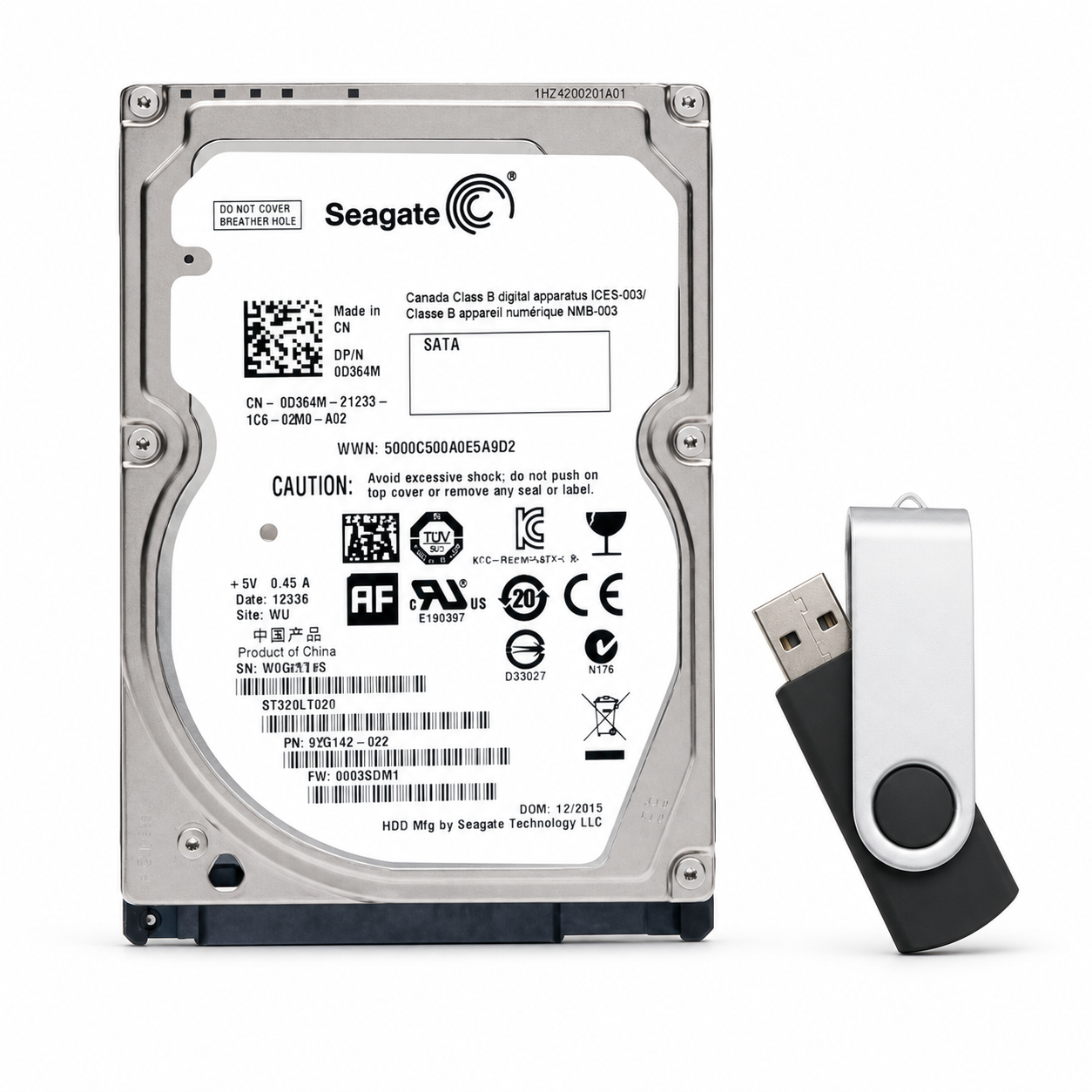
HP M776 Secure HDD Replacement + Firmware USB | FIPS Encrypted
HP LaserJet Enterprise M776 Secure HDD + Firmware USB
A replacement secure hard drive solution designed specifically for the HP Color LaserJet Enterprise MFP M776 series, complete with a USB flash drive preloaded with M776 firmware.
Dealing With a Dreaded 99.XX Firmware or HDD-Related Error?
Has the error returned more than once? Are you considering replacing an expensive formatter—or even replacing the entire printer?
Stop before replacing the formatter. The hard drive itself may be the source of the problem.
Extend the Life of Your M776
HP LaserJet Enterprise devices rely on their internal storage for firmware, operating files, device configuration, stored jobs, and other critical printer functions. As these drives age, a failing or corrupted HDD can result in startup failures, firmware errors, initialization problems, or recurring 99.XX error conditions.
This replacement package provides the HDD and the firmware media needed to help return a compatible M776 to service without immediately resorting to replacement of the formatter or the complete printer.
This Is Not a Standard Computer Hard Drive
Although the drive uses the familiar 2.5-inch HDD form factor, this is not a standard consumer laptop or desktop hard drive intended to be substituted with an off-the-shelf SATA drive.
HP LaserJet Enterprise systems utilize a specialized secure HDD architecture incorporating FIPS encryption support designed for HP enterprise printing environments.
Installing an ordinary computer HDD may result in the printer failing to recognize the storage device, failing initialization, or continuing to display disk or firmware-related errors.
Compatible HP Color LaserJet Enterprise Models
- HP Color LaserJet Enterprise MFP M776dn
- HP Color LaserJet Enterprise Flow MFP M776zs
- HP Color LaserJet Enterprise Flow MFP M776z
Common Reasons for HDD Replacement
- Recurring 99.XX.XX firmware-related errors
- Printer unable to complete startup or initialization
- Hard disk not detected or disk-related startup errors
- Firmware corruption
- Failure following a firmware update or interrupted firmware installation
- Existing HDD failure or intermittent operation
Installation & Firmware Initialization
Installation is straightforward for an experienced HP LaserJet technician. Install the replacement HDD using the existing M776 mounting and interface components, then power on the printer and allow the system to initialize.
If the printer automatically initializes the drive, allow the process to complete without interrupting power.
If the Pre-Boot Menu appears or firmware installation is required, use the included USB flash drive containing the M776 firmware to complete the firmware loading and initialization process.
Professional installation is recommended. Due to the firmware initialization and Pre-Boot procedures involved, this component is best installed by an HP-authorized or otherwise qualified LaserJet technician.
Please Read Before Ordering
This product includes only the replacement HDD and M776 firmware USB. The SATA riser, HDD cradle, mounting plastics, formatter, cables, and other printer components are not included unless specifically stated elsewhere in the listing.
Existing settings, stored jobs, address books, or other information contained on the original HDD do not automatically transfer to the replacement drive. Back up any recoverable configuration information before replacement whenever possible.
Couldn't load pickup availability
Pickup available at WAREHOUSE
Usually ready in 5+ daysPairs well with
In stock! Ships within 5-7 business days.
100% Tested prior to shipment
Warranty Included (1 Year, 2 Year, and 3 Year Extensions available on all Printers)
Lifetime technical support
HP M776 Secure HDD Replacement + Firmware USB | FIPS Encrypted
Please visit our FAQs page or email Sales@theprinterdepo.com with any questions you may have.
-
Shipping Information
Most orders ship within 48 hours of receipt.
-
Customer Support
Please reach out to us via email or chat box Monday-Friday 8AM-5PM CST.
-
FAQ’s
Please click "Quick Links" at the bottom of the page & open "FAQ's" for more information.
-
Technical Support
All of our products include lifetime technical support via email.
FAQs
Please read our FAQs page to find out more.
How much is shipping?
- Shipping is free on all items below 65lbs
- If you are purchasing in bulk & the total weight exceeds 65lbs then please reach out to us through the chat box or email sales@theprinterdepo.com for a custom quote.
- If the item exceeds 65lbs then you may be subject to freight charges.
Do you charge sales tax?
- We do not collect sales tax outside of the state of Texas. Therefore, you do not need to provide any proof of exemption unless your shipping/billing address is in Texas.
- If you are located in Texas & would like your account to be tax exempt then you must email Sales@theprinterdepo.com your Texas resale certificate or proof of exemption.
Do you offer "Blind Drop Shipping"?
- Yes, we offer "Blind Drop Shipping" & "Private labeling".
- Please email Sales@theprinterdepo.com for more details.
Do you offer any discounts?
- Yes, please sign up for our weekly newsletter for upcoming sales, discount codes, and product announcements.
- Wholesalers should email sales@theprinterdepo.com for a custom quote.
Do you accept "Purchase Orders"?
- Yes, please send your PO's to sales@theprinterdepo.com
- Credit card or Net 30 application must be on file in order for your purchase order to be processed.