
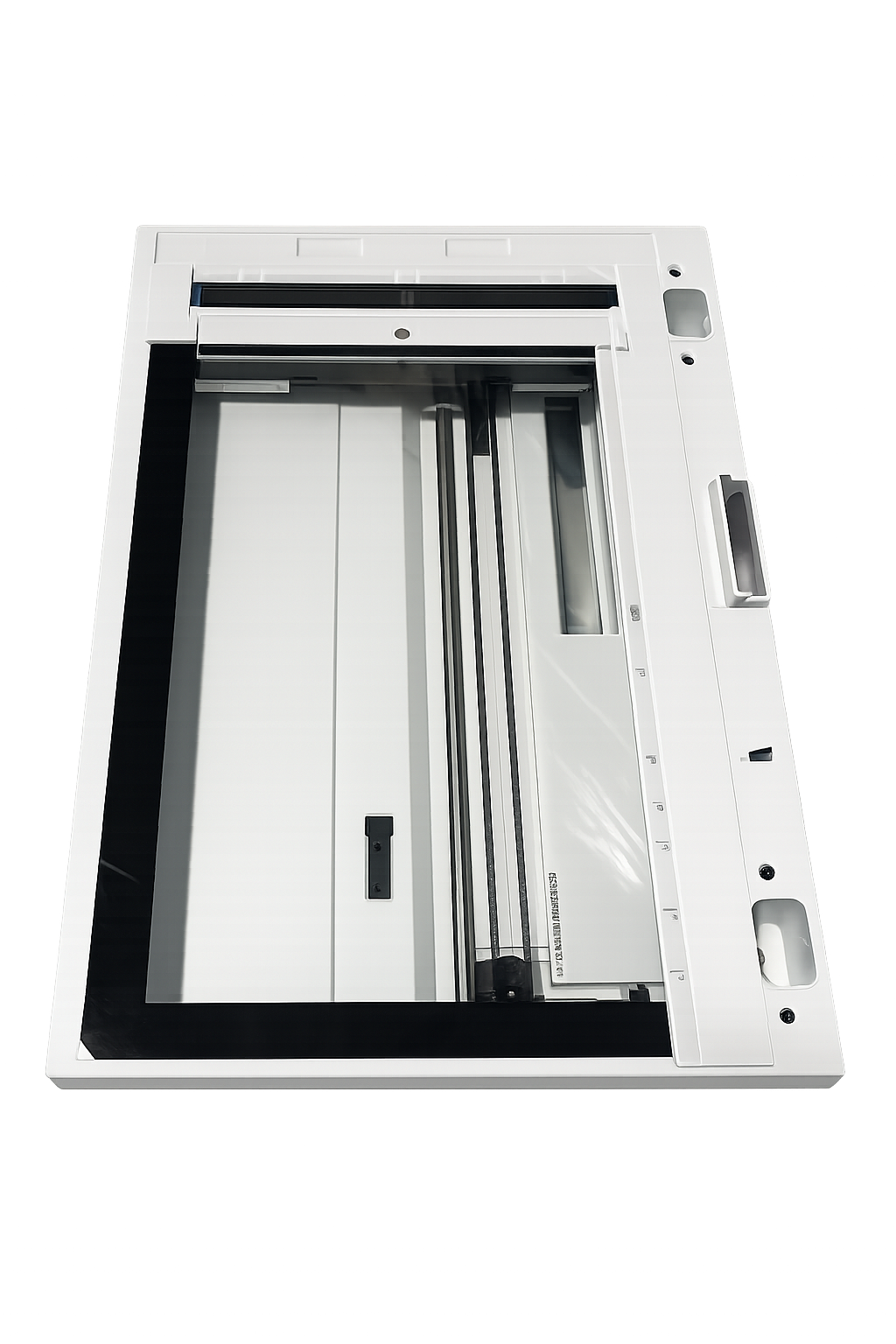
HP Color LaserJet Enterprise MFP 6800 6801 X677 Flatbed Scanner Assembly, 6QN35-67006
NEW PULL CONDITION
This genuine HP scanner assembly was removed from a new or unused printer during configuration, conversion, or parts harvesting. It has not experienced normal production use but may show minor handling or installation marks. Original retail packaging is not included.
Compatibility notice: This assembly fits the listed HP 6800, 6801, and X677 models. It is not compatible with the HP X654 series.
Genuine HP Flatbed Scanner · 6QN35-67006
Restore clean, accurate scanning.
Replace a failed flatbed scanner with the genuine HP 6QN35-67006 Service Scanner Assembly, designed for compatible HP Color LaserJet Enterprise 6800, 6801, and X677 multifunction printers.
PART NUMBER
6QN35-67006
COMPONENT
Flatbed Scanner Assembly
CONDITION
Genuine HP New Pull
The foundation of every flatbed scan.
The 6QN35-67006 assembly contains the flatbed scanning system used to capture documents, photographs, books, identification cards, and other originals placed on the scanner glass.
It works with the printer’s Scanner Control Interconnect Board to position the scan head, illuminate the original, calibrate the optical system, and convert the captured image into digital scan or copy data.
Product highlights
✓ Genuine HP service component
✓ Exact part number 6QN35-67006
✓ New-pull condition
✓ Complete flatbed scanner assembly
✓ Replaces failed scanner optics or carriage systems
✓ Supports scanning and flatbed copying
✓ Designed for HP 6800, 6801, and X677 MFPs
✓ HP service description: Service-SSA
Exact-fit compatibility
Compatible HP printer configurations
Confirm the complete printer model and product number before ordering.
HP 6800 and 6801 Series
- HP Color LaserJet Enterprise MFP 6800 — 49K84AV
- HP Color LaserJet Enterprise MFP 6800dn — 6QN35A
- HP Color LaserJet Enterprise Flow MFP 6800zf — 6QN36A
- HP Color LaserJet Enterprise Flow MFP 6800zfsw — 6QN37A
- HP Color LaserJet Enterprise Flow MFP 6800zfw+ — 6QN38A
- HP Color LaserJet Enterprise MFP 6801 — 4Y279AV
- HP Color LaserJet Enterprise Flow MFP 6801zfsw — 76H10A
- HP Color LaserJet Enterprise Flow MFP 6801zfw+ — 76H11A
HP X677 Series
- HP Color LaserJet Enterprise MFP X677dn — 6QQ01A
- HP Color LaserJet Enterprise Flow MFP X677zs — 6QQ02A
- HP Color LaserJet Enterprise Flow MFP X677z+ — 6QQ03A
- HP Color LaserJet Enterprise MFP X677s — 76H08A
- HP Color LaserJet Enterprise Flow MFP X677z — 76H09A
- HP Color LaserJet Enterprise MFP X67755dn — 49K86A
- HP Color LaserJet Enterprise Flow MFP X67755zs — 49K87A
- HP Color LaserJet Enterprise Flow MFP X67755z+ — 49K88A
- HP Color LaserJet Enterprise MFP X67765dn — 49K90A
- HP Color LaserJet Enterprise Flow MFP X67765zs — 49K91A
- HP Color LaserJet Enterprise Flow MFP X67765z+ — 49K92A
Common reasons for replacement
Replacement may be appropriate after firmware, cables, and the scanner-control board have been properly diagnosed.
Product specifications
| Brand | HP |
| Part Number | 6QN35-67006 |
| HP Description | Service-SSA / Flatbed Scanner Assembly |
| Condition | New Pull |
| Printer Location | Integrated scanner section beneath the ADF |
| Package Contents | One HP 6QN35-67006 flatbed scanner assembly, as pictured The SCIB/SCB, ADF, control panel, cables, and other external components are not included. |
Diagnose before replacing
Flatbed scanner errors can also be caused by outdated firmware, improperly seated flat-flexible cables, damaged Zero Insertion Force connectors, or a failing Scanner Control Interconnect Board.
Before replacing the scanner, inspect and reseat its connections, review the printer’s event log, and run the available flatbed motor or continuous-scan diagnostic tests.
Installation notice
Installation requires partial disassembly of the scanner section. Protect the scanner glass, use proper ESD precautions, and open each ZIF connector gate before removing or inserting a flat-flexible cable.
Installation by a qualified printer technician is recommended. After replacement, update the printer firmware when necessary and verify operation using both a flatbed copy and the printer’s scanner diagnostics.
Couldn't load pickup availability
Pickup available at WAREHOUSE
Usually ready in 5+ daysPairs well with
In stock! Ships within 5-7 business days.
100% Tested prior to shipment
Warranty Included (1 Year, 2 Year, and 3 Year Extensions available on all Printers)
Lifetime technical support
HP Color LaserJet Enterprise MFP 6800 6801 X677 Flatbed Scanner Assembly, 6QN35-67006
Please visit our FAQs page or email Sales@theprinterdepo.com with any questions you may have.
-
Shipping Information
Most orders ship within 48 hours of receipt.
-
Customer Support
Please reach out to us via email or chat box Monday-Friday 8AM-5PM CST.
-
FAQ’s
Please click "Quick Links" at the bottom of the page & open "FAQ's" for more information.
-
Technical Support
All of our products include lifetime technical support via email.
FAQs
Please read our FAQs page to find out more.
How much is shipping?
- Shipping is free on all items below 65lbs
- If you are purchasing in bulk & the total weight exceeds 65lbs then please reach out to us through the chat box or email sales@theprinterdepo.com for a custom quote.
- If the item exceeds 65lbs then you may be subject to freight charges.
Do you charge sales tax?
- We do not collect sales tax outside of the state of Texas. Therefore, you do not need to provide any proof of exemption unless your shipping/billing address is in Texas.
- If you are located in Texas & would like your account to be tax exempt then you must email Sales@theprinterdepo.com your Texas resale certificate or proof of exemption.
Do you offer "Blind Drop Shipping"?
- Yes, we offer "Blind Drop Shipping" & "Private labeling".
- Please email Sales@theprinterdepo.com for more details.
Do you offer any discounts?
- Yes, please sign up for our weekly newsletter for upcoming sales, discount codes, and product announcements.
- Wholesalers should email sales@theprinterdepo.com for a custom quote.
Do you accept "Purchase Orders"?
- Yes, please send your PO's to sales@theprinterdepo.com
- Credit card or Net 30 application must be on file in order for your purchase order to be processed.