
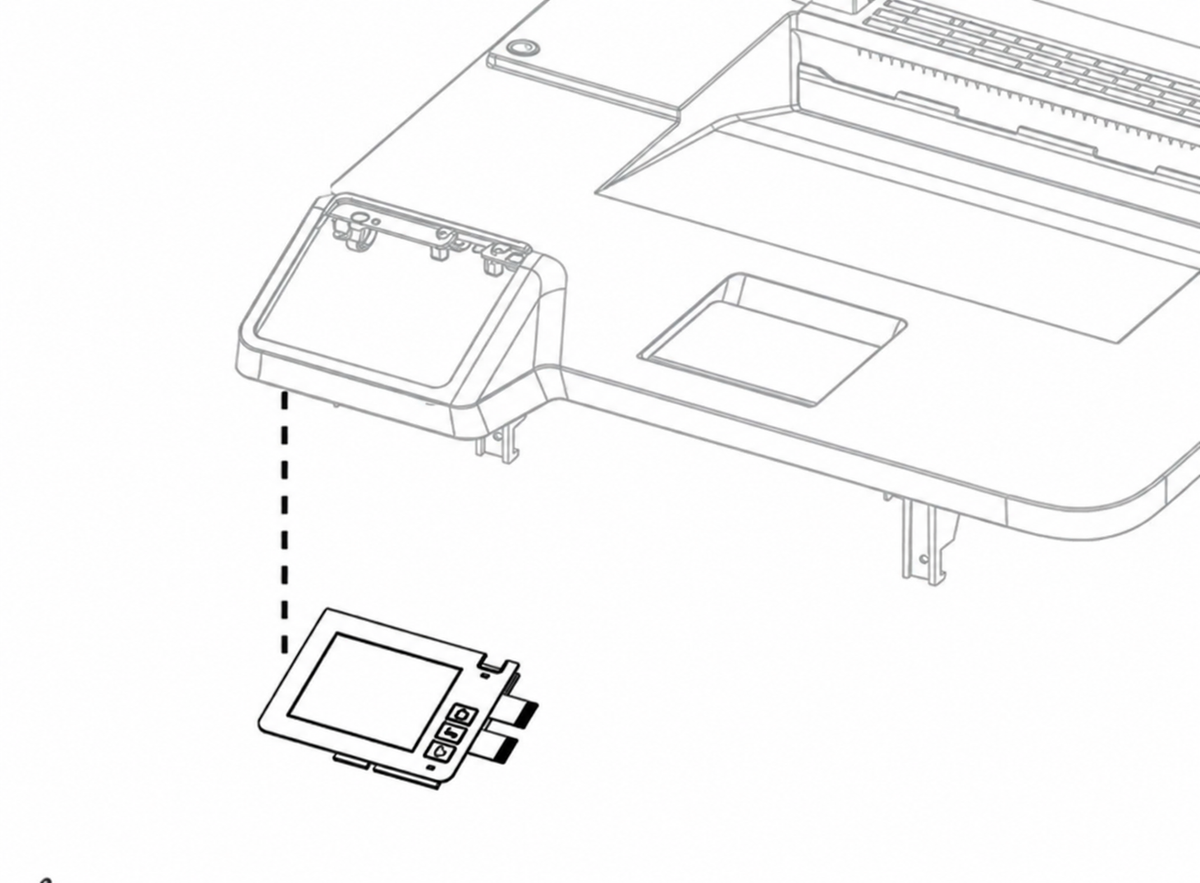
Lexmark CX331adwe/CX431adw/CS431dw/C2326/C3426dw Touchscreen Control Panel – 41X2601
Lexmark Replacement Control Panel
Put control back
at your fingertips.
Lexmark 41X2601 Control Panel
Restore access to your printer’s everyday controls with the 41X2601 replacement control panel. Designed for select Lexmark color laser printers and multifunction devices, this touchscreen service component provides the interface for device settings, status messages, and supported workflows.
Part Number
41X2601
Interface
Color Touch
Application
Service Part
Verified Fit
13 Models
Match the complete model before ordering.
Check your printer’s full model name, machine type/model number, and required service part number. Similar Lexmark model names do not necessarily use the same control panel. 41X2601 is a replacement component for supported touchscreen models; it is not a touchscreen upgrade for other printers.
Everyday operation. Within reach.
The control panel brings the printer’s supported settings, messages, and operating functions to its front interface.
- View printer messages and supply status.
- Navigate menus and adjust available settings.
- Access supported printer or multifunction workflows.
- Interact with the device through its touchscreen interface.
Available menus and functions depend on the printer model, firmware, and configuration.
A targeted repair.
Consider this replacement when a technician has identified the control panel as the source of a display or interface fault.
- Physical damage to the panel or display.
- Touch input that does not respond correctly.
- A blank or intermittent display traced to panel failure.
- Other confirmed control-panel hardware faults.
Similar symptoms can originate from cabling, power, firmware, or the controller board. Diagnosis should precede replacement.
Manufacturer-Listed Compatibility
Find your exact Lexmark model.
Lexmark’s parts catalog lists control panel 41X2601 for the following models. The machine type/model identifiers below are hardware identifiers, not retail product SKUs.
| Compatible Lexmark Model | Machine Type / Model |
|---|---|
| C2326 | 1500-8c9 |
| C3426dw | 1500-836 |
| CS431dw | 1500-8c6 |
| CX331adwe | 3500-685 |
| CX431adw | 3500-8c6 |
| MC3224dwe | 3500-285 |
| MC3224adwe | 3500-485 |
| MC3224i | 3500-485 |
| MC3326adwe | 3500-685 |
| MC3326i | 3500-685 |
| MC3426adw | 3500-876 |
| MC3426i | 3500-876 |
| XC2326 | 3500-8c9 |
CS439dn requires additional verification: this model is not included in the manufacturer’s part-specific compatibility list used above. Confirm 41X2601 against the printer’s serial number and service-parts information before ordering.
Different panel configuration: C3224dw, C3326dw, and CS331dw use a different, non-touchscreen control-panel layout and are not included in the verified compatibility list.
Know the component.
41X2601 identifies the control-panel service part. Lexmark catalogs model-specific bezels and cable assemblies separately. The part number alone does not establish that a surrounding bezel, ribbon cable, mounting hardware, or other accessory is supplied.
Review the listing photographs and stated package contents for the exact configuration offered. Your technician should check whether the original bezel, cabling, and mounting components can be reused or require separate replacement.
Install with the correct service procedure.
Professional installation is recommended. The control panel contains nonvolatile memory, and replacement must follow Lexmark’s model-specific service and initialization instructions.
- Confirm the diagnosis and part number. Check the exact printer model and inspect relevant connections before replacing the panel.
- Prepare the printer for service. Shut down and disconnect power before disassembly, and use appropriate protection against electrostatic discharge.
- Replace one memory-bearing component at a time. Lexmark cautions against replacing the control panel and controller board together because of NVRAM mismatch risks.
- Follow the prescribed first-start procedure. Observe Lexmark’s diagnostic and power-on sequence. A replacement panel can become associated with a printer; a previously installed panel should not be assumed transferable.
- Verify operation after installation. Check display output, touchscreen response, menus, and the functions supported by the particular printer.
The right panel. A more useful printer.
Choose the Lexmark 41X2601 Control Panel for a confirmed compatible model and a properly diagnosed panel repair. Match the part, confirm the supplied configuration, and follow the correct installation procedure to restore access to your device’s controls.
Couldn't load pickup availability
Pickup available at WAREHOUSE
Usually ready in 5+ daysPairs well with
In stock! Ships within 5-7 business days.
100% Tested prior to shipment
Warranty Included (1 Year, 2 Year, and 3 Year Extensions available on all Printers)
Lifetime technical support
Lexmark CX331adwe/CX431adw/CS431dw/C2326/C3426dw Touchscreen Control Panel – 41X2601
Please visit our FAQs page or email Sales@theprinterdepo.com with any questions you may have.
-
Shipping Information
Most orders ship within 48 hours of receipt.
-
Customer Support
Please reach out to us via email or chat box Monday-Friday 8AM-5PM CST.
-
FAQ’s
Please click "Quick Links" at the bottom of the page & open "FAQ's" for more information.
-
Technical Support
All of our products include lifetime technical support via email.
FAQs
Please read our FAQs page to find out more.
How much is shipping?
- Shipping is free on all items below 65lbs
- If you are purchasing in bulk & the total weight exceeds 65lbs then please reach out to us through the chat box or email sales@theprinterdepo.com for a custom quote.
- If the item exceeds 65lbs then you may be subject to freight charges.
Do you charge sales tax?
- We do not collect sales tax outside of the state of Texas. Therefore, you do not need to provide any proof of exemption unless your shipping/billing address is in Texas.
- If you are located in Texas & would like your account to be tax exempt then you must email Sales@theprinterdepo.com your Texas resale certificate or proof of exemption.
Do you offer "Blind Drop Shipping"?
- Yes, we offer "Blind Drop Shipping" & "Private labeling".
- Please email Sales@theprinterdepo.com for more details.
Do you offer any discounts?
- Yes, please sign up for our weekly newsletter for upcoming sales, discount codes, and product announcements.
- Wholesalers should email sales@theprinterdepo.com for a custom quote.
Do you accept "Purchase Orders"?
- Yes, please send your PO's to sales@theprinterdepo.com
- Credit card or Net 30 application must be on file in order for your purchase order to be processed.